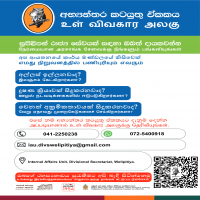


when seeking a government service?
Refuse the request and report it immediately. Your identity will remain confidential.

for Integrity
- A public official misusing their position or authority with corrupt intent for personal or unlawful gain
- Causing financial loss to the government or another party through corrupt intent
A bribe is anything not only money but a gift, favor or an advantage offered to or received by a public official to influence their official duties — whether given directly or through a third party.
Read More →- Fear of retaliation or being victimised by the same official
- Belief that the complaint won't be taken seriously or lead to action
- Lack of witnesses — bribery usually happens privately
- Transactions are rarely documented, making it harder to prove
CIABOC is fully committed to maintaining the confidentiality of all complainants. Your name and personal details will never be disclosed.
- 011-2596360 Telephone
- 076-7011954 SMS
- No. 36, Malalasekera Mawatha,
Colombo 07, Sri Lanka
for Integrity
அரசு சேவை மையங்கள்


Service Cluster
Vehicle Registrations & Licence Renewals
Revenue licence renewals, driving licence services, ownership transfers, and emission certificates — for all vehicle owners in the Welipitiya Division
Renew Your Revenue Licence Online — eRL 2.0
Motor cars, motorcycles, dual-purpose vehicles, three-wheelers, land vehicles, and more can be renewed from anywhere in Sri Lanka. Temporary licence emailed instantly after payment — official licence posted within 7 days.
Every registered vehicle in Sri Lanka requires an annual Revenue Licence (road tax certificate). The licence year runs from the anniversary of the vehicle's first registration date — not the calendar year. This means every vehicle has its own unique renewal date. You may renew up to 2 months before your expiry date to avoid penalties.
- Certificate of Registration (original CR) — or extract CMT-52 / MTA-11; if under finance, a certified copy of the CR approved by the finance company
- Previous year's Revenue Licence
- Valid Vehicle Insurance Policy Certificate — must be current at time of renewal
- Valid Emission Test Certificate (VET) — from an authorised testing station (Laugh Eco Sri or Klenco Lanka). Not required for: first licence of a brand-new vehicle, land vehicles, vehicles manufactured before 31 December 1975
- Fitness Certificate — required for commercial vehicles only: motor lorries, private coaches, omnibuses, ambulances, hearses, motor tricycle vans, special purpose vehicles
- Passenger Service Permit — required for omnibuses only
| Vehicle Type | Where to Renew |
|---|---|
| Motor cars | This office OR online |
| Motorcycles | This office OR online |
| Three-wheelers | This office OR online |
| Dual-purpose vehicles | This office OR online |
| Land vehicles | This office OR online |
| Motor lorries | This office (in person) |
| Private coaches / Omnibuses | This office (in person) |
| Ambulances / Hearses | This office (in person) |
| Special purpose vehicles | Provincial DMT Office |
Since eRL 2.0, you can renew your revenue licence at any Divisional Secretariat in Sri Lanka — you are no longer limited to the office in the province where your vehicle was originally registered. This is useful if you have relocated or are travelling.
The Electronic Revenue Licence (eRL 2.0) system allows most vehicle owners to complete their annual renewal entirely online. After payment, a temporary printable licence is sent by email immediately and is valid for 14 days. The official printed licence is delivered by registered post to the registered address within 7 days.
- 1
Visit web.erl2.gov.lk and click Login. Sign in using your Google account.
- 2
Enter your Province, Vehicle Number, previous year's Licence Number, and Chassis Number (last 6 digits). Verify that the owner name and address shown are correct.
- 3
Select your Emission Certificate issuer (Laugh Eco Sri or Klenco Lanka) and your Insurance company from the dropdown. The system will verify both in real time — ensure both are current before proceeding.
- 4
Confirm the vehicle details, ownership, insurance, emission (VET) status, and licence fee amount.
- 5
Choose your delivery method (posted to registered address) and payment method (any credit or debit card with online capability). Confirm the OTP sent to your mobile to proceed to payment.
- 6
After payment confirmation, a temporary licence (valid 14 days) is sent to your email immediately. Print it and keep it in your vehicle. The official licence arrives by registered post within 7 days.
- Your vehicle's emission test (VET) must be current and already validated in the system — complete the test before going online
- Your vehicle insurance must be active and registered in the eRL system by your insurer
- A Google account (Gmail) is required to log in
- A credit or debit card capable of online transactions
- Your mobile phone — an OTP will be sent for payment confirmation
- Your previous year's licence number and chassis number (last 6 digits)
First-time licence for a newly registered vehicle cannot be obtained online — it must be done in person at a provincial DMT office or this DS office. Online renewal is only available for vehicles that have previously obtained at least one revenue licence.
- 1
Brand-new vehicles are exempt from the emission test for the first revenue licence only. From the second year onward, the test is mandatory.
- 2
Reconditioned vehicles require the emission test from the very first revenue licence — no exemption.
- 3
Land vehicles / agricultural tractors are permanently exempt from the emission test requirement.
- 4
Vehicles manufactured before 31 December 1975 are exempt from the emission test.
- 5
Complete the emission test before attempting online renewal — your VET certificate must be validated in the eRL system by the testing station before the portal will accept it.
- Laugh Eco Sri — authorised vehicle emission testing network. Visit their website for station locations nearest to Welipitiya.
- Klenco Lanka — authorised vehicle emission testing network. Visit their website for locations.
- Once tested, the station uploads your certificate directly to the eRL system — you do not need a paper copy for online renewal (the system verifies it automatically).
- For in-person renewal at this DS office, bring the physical emission test certificate.
Get your emission test done at least 2–3 days before attempting online renewal, as there may be a short delay between the test being conducted and the certificate being registered in the eRL system. Turning up at the online portal immediately after testing may result in a "not found" error.
- 1
Obtain the renewal application form from the DMT website (dmt.gov.lk) or the nearest DMT regional office. Note: Driving licence renewal is handled by DMT, not at this DS office.
- 2
Obtain a Medical Fitness Certificate from the Sri Lanka National Transport Institute (SLNTI) or a government hospital within 6 months before the application date. Fee: approximately Rs. 1,500.
- 3
Gather all required documents (see right) and submit to the nearest DMT regional office or book an appointment online at dmt.gov.lk to visit the head office in Narahenpita, Colombo.
- 4
Your photograph and digital signature will be captured at the DMT office. The new smart card licence is issued on the same day (priority service) or mailed to your address (normal service).
- Current driving licence (original to be surrendered)
- NIC (original + photocopy)
- Medical Fitness Certificate from SLNTI or government hospital — obtained within the last 6 months
- Completed renewal application form
- Passport-size photographs — number as specified on the form
- Payment of the applicable levy fee (Rs. 620 normal / Rs. 1,020+ same day per Motor Traffic Driving Licence Levy Regulations No. 03 of 2022, amended November 2025)
Driving licence renewal is handled by the Department of Motor Traffic (DMT) — not at this DS office. The nearest DMT regional office to Welipitiya is in Matara. Book an appointment at dmt.gov.lk to avoid long queues. This DS office can assist with queries and document guidance.
When a vehicle is bought or sold, the transfer of ownership must be registered with the Department of Motor Traffic (DMT). Both the seller (registered owner) and the buyer (new owner) must complete specific forms. Ownership transfer is not handled at this DS office — it is processed at the DMT head office (Narahenpita) or regional offices.
- 1
The registered owner (seller) obtains MTA 6 and MTA 8 forms from the DMT head office, a DMT regional office, or the Government Information Centre (GIC).
- 2
The seller completes Form A & A1 of MTA 6 and retains A1. Form B, B1 of MTA 6 and Form C, C1 of MTA 8 are handed to the new owner (buyer).
- 3
The seller sends Form A of MTA 6 to the Commissioner of Motor Traffic by Registered Post or delivers it in person, retaining A1 as proof.
- 4
Both buyer and seller visit a DMT branch together with original documents to formally register the transfer. The transfer fee is paid and the new Certificate of Registration is issued to the buyer.
- 5
From 5 January 2026, a TIN (Taxpayer Identification Number) is required from both buyer and seller for all vehicle transfers — except motorcycles, tractors, and three-wheelers. See the TIN section below.
- Original Certificate of Registration (CR) of the vehicle
- MTA 6 — Transfer of Ownership form (all parts completed)
- MTA 8 — additional transfer declaration
- NIC of both buyer and seller
- TIN certificate from the Inland Revenue Department — for buyer and seller (mandatory from 5 January 2026 for cars, lorries, buses, and most vehicles; not required for motorcycles, tractors, tractor trailers, three-wheelers)
- For vehicles under hire purchase/finance: certified copy of the CR approved by the finance company
- Transfer fee — payable at DMT (varies by vehicle category; refer to DMT fee schedule)
Until the ownership transfer is formally registered with DMT, the original registered owner remains legally responsible for the vehicle — including any traffic violations, accidents, or penalties incurred after the sale. Both parties should ensure the transfer is completed promptly after any vehicle sale.
- 1
From 5 January 2026, the Taxpayer Identification Number (TIN) issued by the Inland Revenue Department (IRD) is mandatory for all new vehicle registrations and ownership transfers at the DMT.
- 2
The TIN must be entered together with the owner's NIC number. For businesses or companies, the Business Registration Number is used instead of the NIC.
- 3
This rule applies to motor cars, lorries, buses, vans, dual-purpose vehicles, and most other vehicles. It does not apply to motorcycles, hand tractors, tractors, tractor trailers, and three-wheelers.
- 4
The rule was first introduced for certain DMT services from 15 April 2025 and extended to full enforcement across the DMT database from 5 January 2026.
- Apply for a TIN at any Inland Revenue Department (IRD) office or online at ird.gov.lk
- Required documents for individual TIN: NIC and a completed TIN registration form
- For businesses: Business Registration Certificate and other incorporation documents
- TIN is issued free of charge and valid for life — you only need to register once
- The nearest IRD office to Welipitiya is in Matara
If you are planning to buy or sell a vehicle and do not yet have a TIN, obtain it from the IRD before going to the DMT — the transaction cannot be processed at the DMT without it. Getting a TIN typically takes only one visit to the IRD office.
Vehicle Licence Counter — Welipitiya DS
Bring your documents to our counter for in-person revenue licence renewal. We can also advise on emission tests, TIN requirements, and DMT procedures.
Payment of Pensions
Civil · W&OP · Armed Forces — pension administration for retired public servants
Do More Online — Sathkara Pensioner Portal
The Department of Pensions offers several e-services so pensioners can manage their affairs without visiting this office. Register once on the Sathkara portal to unlock all services below. Helpline: 1970
▶ Additional Benefits for Pensioners
Railway Warrants
Free or concession rail travel for pensioners and immediate family. Apply at this office or book e-Warrants online through the SLT mTicketing platform.
Pension Information Letter
Request a certified letter from this office confirming your pension payment details — useful for bank loans, visa applications, and legal matters.
Non-Pensioner Dole Letter
For those who are not pension recipients — the Department of Pensions can issue an official letter confirming non-receipt of a government pension.
Holiday Resorts
Pensioners can book Department of Pensions holiday resorts in Ramboda (near Ramboda falls) and Kelaniya (near Colombo) at subsidised rates.
HNB Sathkara Account
A dedicated pensioner savings account at HNB with no minimum balance, free SMS alerts, and special loan rates specifically designed for government retirees.
Public Service Provident Fund
Officers who joined government service after November 1994 are covered by the PSPF scheme. Lump-sum payment is made at retirement alongside a reduced monthly pension.
▶ Monthly Payment Schedule
Exact payment dates are governed by circulars from the Department of Pensions — call their helpline on 1970 or check pensions.gov.lk. If your payment has not arrived by the 15th, contact the Pensions counter at this office. Pensions are credited directly to your bank account — no cash payments are made.
- 1
Your head of department submits the pension application (Form Pension 1) to the Department of Pensions several months before your retirement date — follow up with your HR division well in advance.
- 2
The Department of Pensions processes the file and issues a First Payment Order addressed to this office. This is the trigger for your pension to begin.
- 3
Visit the Pensions counter at Welipitiya DS with your documents. You will be registered in the Sathkara Pension Management System and your Pensioner Identity Card will be issued.
- 4
Provide your individual savings account details at a participating bank. Your first monthly payment will be credited on the next payment cycle.
- 5
Register on the online self-service portal at sathkara.pensions.gov.lk to receive circulars, view your pension slip, and track payment history.
- First Payment Order from the Department of Pensions
- NIC of pensioner (original)
- Birth certificate of pensioner
- Individual savings account details — bank, branch, account number
- Two passport-size photographs (for Pensioner ID Card)
- Marriage certificate (if applicable — required for W&OP nomination)
Pension eligibility requires a minimum of 10 years of qualifying government service. Your monthly pension is calculated on last drawn salary and total years of confirmed service per the Minutes on Pensions. Officers who joined government service after November 1994 are covered under the Public Service Provident Fund (PSPF) scheme, which pays a lump sum at retirement plus a reduced monthly pension.
- 1
Bring the original death certificate of the deceased pensioner or public servant to the Pensions counter as soon as possible to stop the existing pension immediately.
- 2
Contact the bank to arrange the return of any pension amounts credited after the date of death — these must be returned to the Government without delay.
- 3
Obtain the W&OP application form from the Pensions counter. Complete it with the spouse's details and the names and ages of all dependent children under 18.
- 4
Submit all supporting documents. This office reviews the file and forwards it to the Department of Pensions for processing and W&OP number assignment.
- 5
W&OP payments are credited to the surviving spouse's individual savings account monthly once approved. A W&OP Identity Card is issued.
- Death certificate of the pensioner / public servant (original)
- Marriage certificate (original)
- Birth certificates of all dependent children (originals)
- NIC of surviving spouse (original & photocopy)
- Individual savings account details of the surviving spouse
- Pensioner Identity Card of the deceased (to be surrendered)
- All photocopies certified by the Grama Niladhari
- Two passport-size photographs of surviving spouse
The W&OP scheme is a contributory scheme — the deceased must have been an active contributor during service for the spouse to qualify. Amounts credited to the bank account after the date of death must be returned to the Government; continued drawdown is a criminal offence. Children's portion of W&OP is payable until they reach 18 years of age or marry, whichever is earlier.
- 1
Download the Life Certificate form from pensions.gov.lk or collect it free from the Pensions counter at this office.
- 2
Complete the form and have it certified by your Grama Niladhari, confirming you are alive and residing in the division.
- 3
Submit the certified form to the Pensions counter at Welipitiya DS with your Pensioner Identity Card. No fee is charged.
- 4
If you are unable to visit in person due to illness or disability, the Grama Niladhari may submit on your behalf, accompanied by a medical certificate from a recognised institution.
- Duly completed Life Certificate form for the current year
- GN signature and official stamp on the form
- Pensioner Identity Card
- NIC of pensioner
- If bedridden / unable to attend: medical certificate from a recognised hospital and GN's countersignature on form
If your pension is suspended due to missing the deadline, bring your life certificate to the Pensions counter as soon as possible — it will be reinstated promptly. Submit early in December rather than waiting until March to avoid any queues or delays.
- 1
Open a new individual savings account at your preferred participating bank — the account must be in your name only.
- 2
Obtain a bank confirmation letter from the new bank, or bring a certified copy of the passbook showing your full name, account number, and branch.
- 3
Visit the Pensions counter at this office and submit the bank change request form with your new account details.
- 4
The change is updated in the Sathkara Pension Management System and takes effect from the following payment cycle.
- Bank change request form (from Pensions counter)
- Bank confirmation letter or certified copy of new passbook
- Pensioner Identity Card
- NIC of pensioner (original & photocopy)
Pensions can only be paid to individual savings accounts in your own name — joint accounts are not accepted. Major participating banks include Bank of Ceylon, People's Bank, NSB, HNB, Commercial Bank, Sampath, and Seylan. HNB Sathkara is a dedicated account designed for government pensioners with zero minimum balance and free SMS alerts.
- 1
Submit a written request letter for arrears payment to the Pensions counter with all supporting documents.
- 2
This office verifies the claim and forwards the request to the Department of Pensions for review and approval.
- 3
If arrears exceed Rs. 500,000, a signed affidavit of non-receipt, attested before a Justice of Peace or Notary Public, is mandatory before any payment is processed.
- 4
Upon approval, arrears are credited to the pensioner's (or heir's) bank account.
- Written request letter for arrears payment
- Pensioner Identity Card and NIC
- If > Rs. 500,000: affidavit of non-receipt, attested by a JP or Notary Public
- Heirs claiming after death: death certificate, birth certificates of all heirs
- Heirs claiming after death: affidavit of family members, attested before a JP or Notary Public
- If an heir transfers entitlement to another heir: separate attested transfer affidavit
If arrears are found to have been paid previously but not declared truthfully in the affidavit, the full amount must be repaid to the Government of Sri Lanka and legal action may follow. Ensure all information in the affidavit is accurate and complete.
- 1
Up to 6 months (personal trip) — Not considered a foreign pensioner. Pension continues through this office as normal. Submit your Life Certificate via your Grama Niladhari as usual.
- 2
6 months to 2 years (personal) — Still paid through this office. Submit your Life Certificate through the nearest Sri Lankan Mission abroad, who will certify and forward it here.
- 3
Under 2 years on government service — Paid through this office. Life Certificate must be certified by the Sri Lankan Mission abroad and submitted here.
- 4
Over 2 years (personal), or any duration with dual/foreign citizenship — Pension must transfer to the Foreign Pensions Division of the Department of Pensions. Inform this office at least two months before departure to arrange the transfer.
- Written request to transfer pension to Foreign Pensions Division
- Copy of valid passport (biographic data page)
- Visa or permanent residence permit confirming period abroad
- Citizenship / dual citizenship certificate if applicable
- New Sri Lankan bank account details — foreign payments are made only through BoC (Metropolitan), HNB (Panchikawatta), Pan Asia Bank (Borella), or People's Bank (HQ)
- NIC of pensioner
Foreign pension rules are governed by Pensions Circular No. 01/2018. Contact the Foreign Pensions Division at இந்த மின்-அஞ்சல் முகவரி spambots இடமிருந்து பாதுகாக்கப்படுகிறது. இதைப் பார்ப்பதற்குத் தாங்கள் JavaScript-ஐ இயலுமைப்படுத்த வேண்டும். or +94 11 232 7752 for further assistance.
Pensions Help Desk
Always bring your Pensioner Identity Card when visiting. Call ahead to confirm which documents you need.
Citizen's Charter
Welipitiya Divisional Secretariat
The Citizen’s Charter represents our systematic effort to focus on the commitment of the Divisional Secretariat towards its citizens. We aim to provide high-quality services with transparency, accountability, and timely delivery.
Standard of Services - Divisional Secretariat
Below is the schedule of services provided by the Divisional Secretariat office.
| No | Service Provided | Main Document Required | Max Time | Responsible Officer |
|---|---|---|---|---|
| 01 | Countersigning of Residency Certificates | National Identity Card | 03 Minutes | Certification Officer/AO/Asst. Div. Sec |
| 02 | Issuing of Valuation Certificates | Completed Certificate | 30 Minutes | Divisional Secretary |
| 03 | Issuing of Income Certificates | Application certified by the Div Secretariat | 30 Minutes | Asst Div Sec/Div Sec |
| 04 | Issuing Birth/Death/Marriage Certificates | Formless Process | 05 Minutes | Additional Dist. Registrar |
| 05 | Approval to Release Compulsory Savings | Respective Application Form | 05 Minutes | Div Sec/Asst. Div. Sec |
| 06 | Issuing Dry Rations Cards | Relevant Application | 10 Minutes | Asst Div Sec |
| 07 | Issuing of Income Certificate (Financial) | Application with supporting documents | 1 Hour | Accountant |
| 08 | Issuing of Assessment Certificate | Assets Deed with recommendation from GN | 30 Minutes | Div Sec |
| 09 | Issuing of Land License (after approval) | Approved Application | 1 Day | Div Sec |
| 10 | Recommendation of Subsidies | Prescribed form with SSO recommendation | 1 Week | Div Sec / Asst Div Sec |
| 11 | Approval of Public Donations | Prescribed form with SSO recommendation | 4 Days | Div Sec / Asst Div Sec |
| 12 | Payments of Samurdhi Grants | Application with written supporting docs | 3 Days | Div Sec/Asst. Div. Sec |
| 13 | Social Development Fund Subsidies | Application with recommendation | 1 Day | Div Sec |
| 14 | Electricity Objection Solutions | Electricity objections summons letter | 2 Weeks | Div Sec/Asst. Div. Sec |
| 15 | Approval of Loans/Mortgages (Land) | Land Title Deed | 1 Day | Div Sec |
| 16 | Recommending Electricity Application | Recommended application with Deed | 30 Minutes | AO/Asst Div Sec |
| 17 | License to Transport Animals | Application approved by Vet Surgeon | 30 Minutes | Asst Div Sec |
| 18 | Issuing of Timber Permit | Recommended Application | 2 Days | Div Sec |
| 19 | Senior Citizenship Identity Card | Birth Certificate or Identity Card | 1 Day | Asst Div Sec |
| 20 | Transferring Ownership (Land Gift) | Deed of Land and Application | 2 Weeks | Div Sec |
| 21 | Naming Succession (Gifted Land) | Form 155 with recommendation | 3 Weeks | Div Sec |
| 22 | Delayed Birth Registration | Application with documentary evidence | 4 Weeks | Additional District Registrar |
| 23 | Provision of Disaster Loans | Application with recommendation from GN | 2 Weeks | Asst Div Sec |
| 24 | Timber Transport License | Application | 4 Weeks | Div Sec |
| 25 | Transfer of License Land | License and GN Report | 1 Day | Div Sec |
| 26 | Issuing of Liquor Permit | Report from Excise Dept | 2 Hours | Div Sec |
| 27 | Submitting NIC Applications to RGD | Application recommended by GN | 3 Days | AO/Asst Div Sec |
Download Full DS Charter (Official PDF)
Includes detailed procedures, officer contact info, and grievance forms.
Standard of Services - Grama Niladhari (Village Level)
Services provided locally at your Grama Niladhari division.
| No | Service Provided | Details of Action | Max Time |
|---|---|---|---|
| 01 | Issuing Character/Resident Certificate | If certificates available If certifying residency (Satisfied personally) | 15 Minutes 03 Days |
| 02 | Recommendation for Income Certificates | Recommendation to Divisional Secretary | 03 Days |
| 03 | Issuing Valuation Certificate | Recommendation to Divisional Secretary | 02 Days |
| 04 | Assessment Report | Recommendation to Divisional Secretary | 02 Days |
| 05 | Certifying Identity Card Applications | Certify and submit to DS Delivering ID card to applicant | 07 Days 03 Days |
| 06 | Cutting Jack Trees | Single tree More than one (If satisfied) | 01 Day 03 Days |
| 07 | Permits for Timber Transportation | Recommendation to DS Sealing of tree | 02 Days ½ Day |
| 08 | Recommendation of Gun License | Recommendation to Divisional Secretary | 03 Days |
| 09 | Explosives Permits | Giving recommendation | 03 Days |
| 10 | Reports on Deceased Persons | Report of natural death | 03 Hours |
| 11 | Business Registration | Recommendation to Divisional Secretary | 03 Days |
| 12 | Reports of Complaints | Incident in existing year Incident in previous year | 01 Day 03 Days |
| 13 | Recommendation for Public Aids | Recommendation to Divisional Secretary | 03 Days |
| 14 | Registration of Past Births | Giving recommendation | 03 Days |
| 15 | Scholarship Applications | Recommendation to Divisional Secretary | 02 Days |
| 16 | Animal Transportation Permits | Recommendation to Divisional Secretary | 03 Days |
| 17 | Land Ownership Assessment | Recommendation to Divisional Secretary | 03 Days |
| 18 | Electricity & Water Recommendations | Giving recommendation | 03 Days |
| 19 | Urgent/Detailed Reports | Urgent reports to DS Detailed reports | 06 Hours 03 Days |
| 21 | General Reports & Arising Needs | If documents are available | 03 Days |
| 22 | Registration of Voluntary Societies | If documents are available | 03 Days |
| 23 | Crown Land Duties | Reporting unauthorized residents Submitting documents to DS | Immediately 07 Days |
| 24 | Stone/Sand Permits | Recommendation to Divisional Secretary | 07 Days |
| 25 | Liquor Permits | Recommendation to Divisional Secretary | 07 Days |
| 26 | Peace Officer Duties | Settlement of disputes | 03 Days |
| 27 | Presidential Fund Aid | Recommendation to Divisional Secretary | 02 Days |
Grama Niladhari Hand Book
Official guide for village-level administrative requirements and citizen rights.
- டி-மையப்படுத்தப்பட்ட பட்ஜெட்டின் திட்டங்கள்
[PDF - 0.0 KB] - மாகாண சபைகளின் திட்டங்கள்
[PDF - 0.0 KB] - வரி அமைச்சகத்தின் திட்டங்கள்
[PDF - 0.0 KB] - அரசாங்கத்தின் சிறப்பு நிகழ்ச்சிகள்
[PDF - 0.0 KB] - ஒருங்கிணைந்த அபிவிருத்தித் திட்டத்தைத் தயாரித்தல்
[PDF - 0.0 KB] - பகுதி வளத்தின் விவரக்குறிப்பு தயாரிப்பது
[PDF - 0.0 KB]